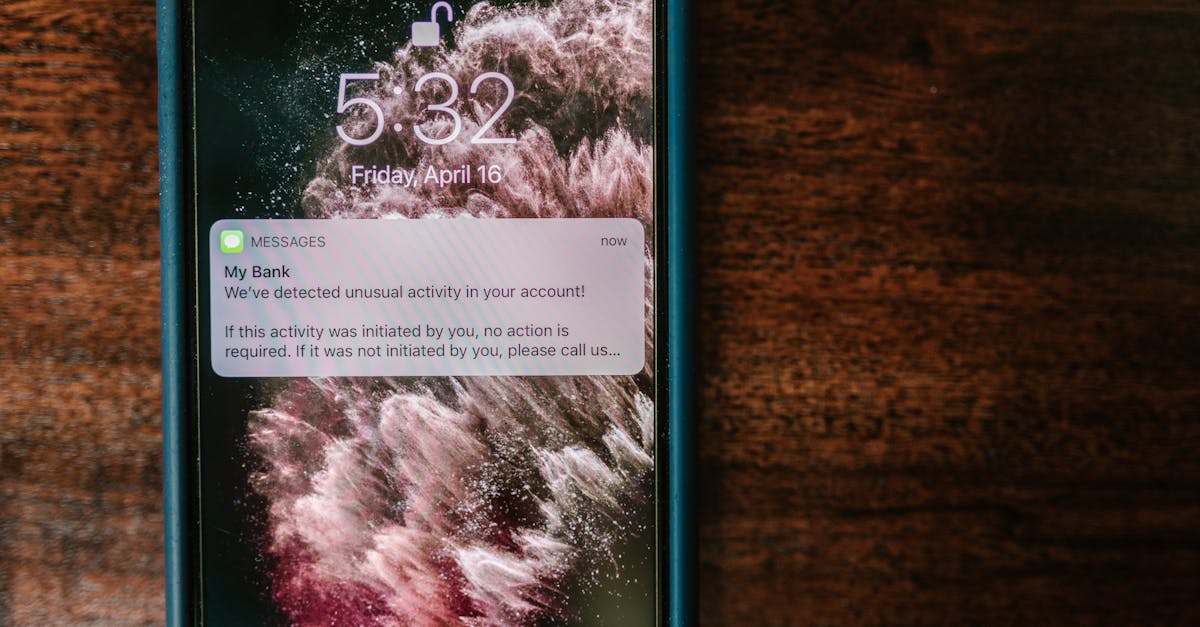
Imagine getting a Telegram message the instant someone opens your front door, or turning on your garden pump with a quick /on command while you are sitting in office. No cloud subscription, no monthly fees, no proprietary app — just your ESP32 and a free Telegram bot.
In this guide, we will build a complete Telegram bot running on an ESP32. You will learn how to send alerts, receive commands, control relays, send photos from ESP32-CAM, and build a full smart home alert system. Every code example is complete and ready to flash.
Why Telegram for IoT?
Before we write any code, here is why Telegram beats most alternatives for ESP32 notifications:
| Feature | Telegram | Email (SMTP) | Blynk / Cloud |
|---|---|---|---|
| Cost | Completely free | Free (with limits) | Free tier limited, then paid |
| API complexity | Simple HTTPS calls | SMTP libraries, auth headaches | SDK required |
| Photo support | Yes (sendPhoto API) | Attachments (complex) | Depends on plan |
| Two-way control | Yes (bot commands) | No | Yes |
| Group alerts | Yes (add bot to group) | CC list | Limited |
| Works on all phones | Android, iOS, desktop | Yes | Requires their app |
| Rate limits | 30 messages/sec (generous) | Provider-dependent | Plan-dependent |
| Monthly fees | None, ever | None | Often required |
Telegram's Bot API is free, fast, and works over HTTPS which the ESP32 handles natively. You get instant push notifications on your phone, and the bot can both send and receive messages. That makes it perfect for IoT.
Step 1: Create Your Telegram Bot
Talk to BotFather
- Open Telegram and search for @BotFather
- Send
/newbot - Choose a display name (e.g., "My Home ESP32")
- Choose a username ending in
bot(e.g.,my_home_esp32_bot) - BotFather will reply with your API token — it looks like this:
6123456789:AAF8kQ3r5Yx2ZmN-oP7wK4jL1vB9cD0eHfG
Save this token securely. Anyone with it can control your bot.
Find Your Chat ID
You need your numeric chat ID so the ESP32 knows where to send messages.
- Search for @userinfobot on Telegram and start a conversation
- It will instantly reply with your chat ID (a number like
987654321)
Alternatively, after creating your bot, send it any message, then open this URL in your browser (replace YOUR_TOKEN with your actual token):
https://api.telegram.org/botYOUR_TOKEN/getUpdates
Look for "chat":{"id":987654321} in the JSON response.
Step 2: Install the Library
We will use the UniversalTelegramBot library by Brian Lough. It wraps the Telegram Bot API and works perfectly on ESP32.
Arduino IDE
- Open Sketch > Include Library > Manage Libraries
- Search for UniversalTelegramBot
- Install it (version 1.3.0 or later)
- Also install ArduinoJson by Benoit Blanchon (version 6.x or 7.x)
PlatformIO
Add these to your platformio.ini:
lib_deps =
    witnessmenow/UniversalTelegramBot@^1.3.0
    bblanchon/ArduinoJson@^7.0.0
Step 3: Send Your First Message
Let us start simple. This sketch connects to WiFi and sends a "Hello" message to your Telegram when the ESP32 boots.
#include <WiFi.h>
#include <WiFiClientSecure.h>
#include <UniversalTelegramBot.h>
#include <ArduinoJson.h>

// WiFi credentials
const char* ssid = "YOUR_WIFI_SSID";
const char* password = "YOUR_WIFI_PASSWORD";

// Telegram bot token and chat ID
#define BOT_TOKEN "6123456789:AAF8kQ3r5Yx2ZmN-oP7wK4jL1vB9cD0eHfG"
#define CHAT_ID "987654321"

WiFiClientSecure client;
UniversalTelegramBot bot(BOT_TOKEN, client);

void setup() {
  Serial.begin(115200);

  // Connect to WiFi
  WiFi.begin(ssid, password);
  Serial.print("Connecting to WiFi");
  while (WiFi.status() != WL_CONNECTED) {
    delay(500);
    Serial.print(".");
  }
  Serial.println("\nConnected! IP: " + WiFi.localIP().toString());

  // Required for HTTPS on ESP32
  client.setCACert(TELEGRAM_CERTIFICATE_ROOT);

  // Send startup message
  bot.sendMessage(CHAT_ID, "ESP32 is online! IP: " + WiFi.localIP().toString(), "");
}

void loop() {
  // Nothing here yet
}
Flash this to your ESP32 and you should receive a Telegram message within seconds of it booting.
Step 4: Send Sensor Alerts
Now let us make it useful. The following example reads a DHT22 temperature sensor and sends an alert when the temperature exceeds a threshold.
#include <WiFi.h>
#include <WiFiClientSecure.h>
#include <UniversalTelegramBot.h>
#include <ArduinoJson.h>
#include <DHT.h>

const char* ssid = "YOUR_WIFI_SSID";
const char* password = "YOUR_WIFI_PASSWORD";
#define BOT_TOKEN "YOUR_BOT_TOKEN"
#define CHAT_ID "YOUR_CHAT_ID"

#define DHTPIN 4
#define DHTTYPE DHT22

DHT dht(DHTPIN, DHTTYPE);
WiFiClientSecure client;
UniversalTelegramBot bot(BOT_TOKEN, client);

float tempThreshold = 40.0;  // Alert if above 40C
bool alertSent = false;

void setup() {
  Serial.begin(115200);
  dht.begin();

  WiFi.begin(ssid, password);
  while (WiFi.status() != WL_CONNECTED) delay(500);
  client.setCACert(TELEGRAM_CERTIFICATE_ROOT);

  bot.sendMessage(CHAT_ID, "Sensor monitor started. Alert threshold: " +
                  String(tempThreshold) + "C", "");
}

void loop() {
  float temp = dht.readTemperature();
  float humidity = dht.readHumidity();

  if (isnan(temp) || isnan(humidity)) {
    Serial.println("Failed to read sensor!");
    delay(2000);
    return;
  }

  // Send alert when threshold exceeded (only once)
  if (temp > tempThreshold && !alertSent) {
    String msg = "HIGH TEMPERATURE ALERT!\n\n";
    msg += "Temperature: " + String(temp, 1) + " C\n";
    msg += "Humidity: " + String(humidity, 1) + " %\n";
    msg += "Threshold: " + String(tempThreshold, 1) + " C\n\n";
    msg += "Check your equipment immediately!";
    bot.sendMessage(CHAT_ID, msg, "");
    alertSent = true;
  }

  // Reset alert flag when temperature drops back
  if (temp < (tempThreshold - 2.0)) {
    if (alertSent) {
      bot.sendMessage(CHAT_ID, "Temperature back to normal: " +
                      String(temp, 1) + " C", "");
    }
    alertSent = false;
  }

  delay(5000);  // Check every 5 seconds
}
The alertSent flag prevents the bot from spamming you with repeated alerts. It only sends once when the threshold is crossed, and again when temperature returns to normal.
Other alert ideas you can build with the same pattern:
- Door opened — magnetic reed switch on GPIO, send alert on
digitalReadchange - Water level low — float sensor triggers when tank drops below threshold
- Gas leak detected — MQ-2 sensor analog reading above safe limit
- Motion detected — PIR sensor alert for security monitoring
Step 5: Send Photos from ESP32-CAM
The ESP32-CAM module can capture and send photos directly to Telegram. This is extremely useful for security cameras and doorbell alerts.
#include <WiFi.h>
#include <WiFiClientSecure.h>
#include <UniversalTelegramBot.h>
#include "esp_camera.h"

const char* ssid = "YOUR_WIFI_SSID";
const char* password = "YOUR_WIFI_PASSWORD";
#define BOT_TOKEN "YOUR_BOT_TOKEN"
#define CHAT_ID "YOUR_CHAT_ID"

// AI-Thinker ESP32-CAM pin definitions
#define PWDN_GPIO_NUM     32
#define RESET_GPIO_NUM    -1
#define XCLK_GPIO_NUM      0
#define SIOD_GPIO_NUM     26
#define SIOC_GPIO_NUM     27
#define Y9_GPIO_NUM       35
#define Y8_GPIO_NUM       34
#define Y7_GPIO_NUM       39
#define Y6_GPIO_NUM       36
#define Y5_GPIO_NUM       21
#define Y4_GPIO_NUM       19
#define Y3_GPIO_NUM       18
#define Y2_GPIO_NUM        5
#define VSYNC_GPIO_NUM    25
#define HREF_GPIO_NUM     23
#define PCLK_GPIO_NUM     22

WiFiClientSecure client;
UniversalTelegramBot bot(BOT_TOKEN, client);

void initCamera() {
  camera_config_t config;
  config.ledc_channel = LEDC_CHANNEL_0;
  config.ledc_timer = LEDC_TIMER_0;
  config.pin_d0 = Y2_GPIO_NUM;
  config.pin_d1 = Y3_GPIO_NUM;
  config.pin_d2 = Y4_GPIO_NUM;
  config.pin_d3 = Y5_GPIO_NUM;
  config.pin_d4 = Y6_GPIO_NUM;
  config.pin_d5 = Y7_GPIO_NUM;
  config.pin_d6 = Y8_GPIO_NUM;
  config.pin_d7 = Y9_GPIO_NUM;
  config.pin_xclk = XCLK_GPIO_NUM;
  config.pin_pclk = PCLK_GPIO_NUM;
  config.pin_vsync = VSYNC_GPIO_NUM;
  config.pin_href = HREF_GPIO_NUM;
  config.pin_sccb_sda = SIOD_GPIO_NUM;
  config.pin_sccb_scl = SIOC_GPIO_NUM;
  config.pin_pwdn = PWDN_GPIO_NUM;
  config.pin_reset = RESET_GPIO_NUM;
  config.xclk_freq_hz = 20000000;
  config.pixel_format = PIXFORMAT_JPEG;
  config.frame_size = FRAMESIZE_VGA;  // 640x480
  config.jpeg_quality = 12;
  config.fb_count = 1;

  esp_err_t err = esp_camera_init(&config);
  if (err != ESP_OK) {
    Serial.printf("Camera init failed: 0x%x\n", err);
    return;
  }
}

void sendPhoto() {
  camera_fb_t* fb = esp_camera_fb_get();
  if (!fb) {
    bot.sendMessage(CHAT_ID, "Camera capture failed!", "");
    return;
  }

  bot.sendPhotoByBinary(CHAT_ID, "image/jpeg", fb->len,
    isMoreDataAvailable, getNextByte, nullptr, nullptr);

  esp_camera_fb_return(fb);
}

// Globals for photo streaming callback
camera_fb_t* currentFb = nullptr;
size_t currentIndex = 0;

bool isMoreDataAvailable() {
  return currentIndex < currentFb->len;
}

byte getNextByte() {
  if (currentIndex < currentFb->len) {
    return currentFb->buf[currentIndex++];
  }
  return 0;
}

void setup() {
  Serial.begin(115200);
  initCamera();

  WiFi.begin(ssid, password);
  while (WiFi.status() != WL_CONNECTED) delay(500);
  client.setCACert(TELEGRAM_CERTIFICATE_ROOT);

  bot.sendMessage(CHAT_ID, "ESP32-CAM online! Send /photo to capture.", "");
}

void loop() {
  int numNewMessages = bot.getUpdates(bot.last_message_received + 1);
  for (int i = 0; i < numNewMessages; i++) {
    if (bot.messages[i].text == "/photo") {
      bot.sendMessage(CHAT_ID, "Capturing...", "");
      currentFb = esp_camera_fb_get();
      currentIndex = 0;
      if (currentFb) {
        bot.sendPhotoByBinary(CHAT_ID, "image/jpeg", currentFb->len,
          isMoreDataAvailable, getNextByte, nullptr, nullptr);
        esp_camera_fb_return(currentFb);
      }
    }
  }
  delay(1000);
}
Tip: For security camera use, combine this with a PIR motion sensor. When motion is detected, automatically capture and send a photo.
Step 6: Receive Commands and Control Devices
This is where Telegram becomes a proper remote control. We will handle commands and toggle a relay.
#include <WiFi.h>
#include <WiFiClientSecure.h>
#include <UniversalTelegramBot.h>
#include <ArduinoJson.h>

const char* ssid = "YOUR_WIFI_SSID";
const char* password = "YOUR_WIFI_PASSWORD";
#define BOT_TOKEN "YOUR_BOT_TOKEN"
#define CHAT_ID "YOUR_CHAT_ID"

#define RELAY_PIN 26
#define LED_PIN 2

WiFiClientSecure client;
UniversalTelegramBot bot(BOT_TOKEN, client);

bool relayState = false;
unsigned long lastBotCheck = 0;
const unsigned long BOT_CHECK_INTERVAL = 1000;  // Poll every 1 second

// Authorized user IDs (security!)
String authorizedUsers[] = {"987654321", "123456789"};
int numAuthorizedUsers = 2;

bool isAuthorized(String chatId) {
  for (int i = 0; i < numAuthorizedUsers; i++) {
    if (chatId == authorizedUsers[i]) return true;
  }
  return false;
}

void handleNewMessages(int numNewMessages) {
  for (int i = 0; i < numNewMessages; i++) {
    String chatId = String(bot.messages[i].chat_id);
    String text = bot.messages[i].text;
    String fromName = bot.messages[i].from_name;

    Serial.println("Message from " + fromName + ": " + text);

    // Reject unauthorized users
    if (!isAuthorized(chatId)) {
      bot.sendMessage(chatId, "Unauthorized. Your ID: " + chatId, "");
      continue;
    }

    // Command dispatcher
    if (text == "/start" || text == "/help") {
      String msg = "Available commands:\n\n";
      msg += "/on - Turn relay ON\n";
      msg += "/off - Turn relay OFF\n";
      msg += "/status - Current device status\n";
      msg += "/temperature - Read sensor\n";
      msg += "/uptime - System uptime\n";
      msg += "/ip - Show IP address\n";
      bot.sendMessage(chatId, msg, "");
    }
    else if (text == "/on") {
      relayState = true;
      digitalWrite(RELAY_PIN, HIGH);
      bot.sendMessage(chatId, "Relay turned ON", "");
    }
    else if (text == "/off") {
      relayState = false;
      digitalWrite(RELAY_PIN, LOW);
      bot.sendMessage(chatId, "Relay turned OFF", "");
    }
    else if (text == "/status") {
      String msg = "Device Status:\n\n";
      msg += "Relay: " + String(relayState ? "ON" : "OFF") + "\n";
      msg += "WiFi: " + String(WiFi.RSSI()) + " dBm\n";
      msg += "Free heap: " + String(ESP.getFreeHeap()) + " bytes\n";
      msg += "Uptime: " + String(millis() / 60000) + " minutes\n";
      bot.sendMessage(chatId, msg, "");
    }
    else if (text == "/uptime") {
      unsigned long uptimeMs = millis();
      int days = uptimeMs / 86400000;
      int hours = (uptimeMs % 86400000) / 3600000;
      int mins = (uptimeMs % 3600000) / 60000;
      String msg = "Uptime: " + String(days) + "d " +
                   String(hours) + "h " + String(mins) + "m";
      bot.sendMessage(chatId, msg, "");
    }
    else if (text == "/ip") {
      bot.sendMessage(chatId, "IP: " + WiFi.localIP().toString(), "");
    }
    else {
      bot.sendMessage(chatId, "Unknown command. Send /help for options.", "");
    }
  }
}

void setup() {
  Serial.begin(115200);
  pinMode(RELAY_PIN, OUTPUT);
  pinMode(LED_PIN, OUTPUT);
  digitalWrite(RELAY_PIN, LOW);

  WiFi.begin(ssid, password);
  while (WiFi.status() != WL_CONNECTED) delay(500);
  client.setCACert(TELEGRAM_CERTIFICATE_ROOT);

  bot.sendMessage(CHAT_ID, "ESP32 relay controller online!", "");
}

void loop() {
  if (millis() - lastBotCheck > BOT_CHECK_INTERVAL) {
    int numNewMessages = bot.getUpdates(bot.last_message_received + 1);
    while (numNewMessages) {
      handleNewMessages(numNewMessages);
      numNewMessages = bot.getUpdates(bot.last_message_received + 1);
    }
    lastBotCheck = millis();
  }
}
Step 7: Inline Keyboard Buttons
Text commands work, but buttons are more convenient. Telegram supports inline keyboards that appear right below messages.
void sendControlPanel(String chatId) {
  String keyboardJson = "[";
  keyboardJson += "[{\"text\":\"ON\",\"callback_data\":\"relay_on\"},";
  keyboardJson += "{\"text\":\"OFF\",\"callback_data\":\"relay_off\"}],";
  keyboardJson += "[{\"text\":\"Status\",\"callback_data\":\"status\"},";
  keyboardJson += "{\"text\":\"Temperature\",\"callback_data\":\"temp\"}]";
  keyboardJson += "]";

  bot.sendMessageWithInlineKeyboard(chatId,
    "Control Panel:", "", keyboardJson);
}
Add this inside your handleNewMessages function to handle the callback data:
// Check for callback queries (button presses)
if (bot.messages[i].type == "callback_query") {
  String callbackData = text;

  if (callbackData == "relay_on") {
    relayState = true;
    digitalWrite(RELAY_PIN, HIGH);
    bot.sendMessage(chatId, "Relay: ON", "");
  }
  else if (callbackData == "relay_off") {
    relayState = false;
    digitalWrite(RELAY_PIN, LOW);
    bot.sendMessage(chatId, "Relay: OFF", "");
  }
  else if (callbackData == "status") {
    // Send status as before
  }
  continue;  // Skip regular command processing
}
Now send /panel to get a nice button interface instead of typing commands.
Step 8: Periodic Status Updates
For monitoring, you often want the ESP32 to send health checks on a schedule — say every hour.
unsigned long lastStatusUpdate = 0;
const unsigned long STATUS_INTERVAL = 3600000;  // 1 hour in ms

void sendPeriodicStatus() {
  if (millis() - lastStatusUpdate > STATUS_INTERVAL) {
    String msg = "Hourly Status Report\n\n";
    msg += "Relay: " + String(relayState ? "ON" : "OFF") + "\n";
    msg += "WiFi RSSI: " + String(WiFi.RSSI()) + " dBm\n";
    msg += "Free heap: " + String(ESP.getFreeHeap()) + " bytes\n";
    msg += "Uptime: " + String(millis() / 3600000) + " hours\n";
    // Add sensor readings here
    bot.sendMessage(CHAT_ID, msg, "");
    lastStatusUpdate = millis();
  }
}

void loop() {
  // ... existing bot polling code ...
  sendPeriodicStatus();
}
Security: Restricting Access
This is critical. Without restrictions, anyone who discovers your bot username can send it commands. The isAuthorized() function from Step 6 is your first line of defense.
Best practices:
- Whitelist chat IDs — Only respond to known user IDs (shown in the code above)
- Log unauthorized attempts — Send yourself a notification when someone unauthorized tries to access the bot
- Never share your bot token — If compromised, use BotFather's
/revokecommand to generate a new one - Use a unique bot username — Do not use obvious names like "homebot" that people might guess
// Enhanced security: notify owner of unauthorized access
if (!isAuthorized(chatId)) {
  // Notify the owner
  String alert = "Unauthorized access attempt!\n";
  alert += "From: " + fromName + "\n";
  alert += "Chat ID: " + chatId + "\n";
  alert += "Message: " + text;
  bot.sendMessage(CHAT_ID, alert, "");  // CHAT_ID is your own ID

  // Reply to the unauthorized user
  bot.sendMessage(chatId, "Access denied.", "");
  continue;
}
Rate Limiting and Polling Optimization
Telegram allows up to 30 messages per second per bot, which is more than enough for IoT. However, the getUpdates polling frequency matters for responsiveness and power consumption.
| Poll Interval | Response Time | WiFi Usage | Best For |
|---|---|---|---|
| 500ms | Near-instant | High | Active control (relay, lights) |
| 1000ms | 1 second | Moderate | General use (recommended) |
| 3000ms | Up to 3 seconds | Low | Alert-only systems |
| 5000ms+ | Slow | Very low | Battery-powered devices |
Important: Each getUpdates call is an HTTPS request. On battery-powered projects, increase the interval or only poll after an event trigger.
Error Handling and Reliability
A production IoT device must handle failures gracefully. Here is a robust WiFi reconnection and watchdog pattern:
#include <esp_task_wdt.h>

#define WDT_TIMEOUT 30  // Watchdog timeout in seconds

void setupWatchdog() {
  esp_task_wdt_init(WDT_TIMEOUT, true);
  esp_task_wdt_add(NULL);
}

void ensureWiFiConnected() {
  if (WiFi.status() == WL_CONNECTED) return;

  Serial.println("WiFi lost. Reconnecting...");
  WiFi.disconnect();
  WiFi.begin(ssid, password);

  int attempts = 0;
  while (WiFi.status() != WL_CONNECTED && attempts < 20) {
    delay(500);
    attempts++;
    esp_task_wdt_reset();  // Keep watchdog happy during reconnect
  }

  if (WiFi.status() == WL_CONNECTED) {
    Serial.println("WiFi reconnected!");
    bot.sendMessage(CHAT_ID, "WiFi reconnected after dropout.", "");
  } else {
    Serial.println("WiFi reconnection failed. Restarting...");
    ESP.restart();
  }
}

void safeBotPoll() {
  ensureWiFiConnected();

  int numNewMessages = bot.getUpdates(bot.last_message_received + 1);
  // Process messages...

  esp_task_wdt_reset();  // Reset watchdog after successful poll
}
The hardware watchdog ensures the ESP32 reboots if your code gets stuck in an infinite loop or a network call hangs. This is essential for devices that must run unattended for months.
Group Chat Support
You can add your bot to a Telegram group so the whole family gets alerts.
- Create a Telegram group and add your bot
- Make the bot an admin (required for it to read messages in groups)
- Send a message in the group
- Get the group's chat ID from the
getUpdatesAPI — group IDs are negative numbers (e.g.,-1001234567890) - Add the group ID to your authorized list and use it for alerts
#define FAMILY_GROUP_ID "-1001234567890"

// Send critical alerts to the family group
void sendFamilyAlert(String message) {
  bot.sendMessage(FAMILY_GROUP_ID, message, "");
}
Now everyone in the group gets notified when something happens.
Common Issues and Fixes
| Problem | Cause | Fix |
|---|---|---|
| Bot not responding | Wrong token or chat ID | Double-check with BotFather and @userinfobot |
| "Unauthorized" error | Token has extra spaces | Copy token carefully, trim whitespace |
| Slow response (5+ seconds) | Poll interval too long | Reduce BOT_CHECK_INTERVAL to 1000ms |
| ESP32 crashes after hours | Memory leak from String concatenation | Use ESP.getFreeHeap() to monitor, restart if below 20KB |
| Messages arrive out of order | Multiple rapid messages | Process all messages in the while(numNewMessages) loop |
| Bot works in DM, not in group | Bot not admin | Make bot a group admin via Telegram settings |
| WiFi drops kill the bot | No reconnection logic | Use the ensureWiFiConnected() pattern from above |
getUpdates returns error |
SSL certificate expired | Update the library, or use client.setInsecure() (less secure) |
Complete Project: Smart Home Alert System
Let us tie everything together into a real project. This system monitors a door sensor, temperature/humidity, and a gas sensor, and sends alerts to a family Telegram group.
Hardware Required
- ESP32 DevKit (available at wavtron.in)
- DHT22 temperature and humidity sensor
- Magnetic reed switch (door/window sensor)
- MQ-2 gas sensor module
- 5V relay module (to control a siren or light)
- Jumper wires and breadboard
Wiring
| Component | ESP32 Pin |
|---|---|
| DHT22 data | GPIO 4 |
| Reed switch | GPIO 16 (with internal pullup) |
| MQ-2 analog out | GPIO 34 |
| Relay IN | GPIO 26 |
Complete Code
#include <WiFi.h>
#include <WiFiClientSecure.h>
#include <UniversalTelegramBot.h>
#include <ArduinoJson.h>
#include <DHT.h>
#include <esp_task_wdt.h>

// ---- Configuration ----
const char* ssid = "YOUR_WIFI_SSID";
const char* password = "YOUR_WIFI_PASSWORD";
#define BOT_TOKEN "YOUR_BOT_TOKEN"
#define OWNER_CHAT_ID "YOUR_CHAT_ID"
#define FAMILY_GROUP_ID "-100YOUR_GROUP_ID"

// Authorized users
String authorizedUsers[] = {OWNER_CHAT_ID, "FAMILY_MEMBER_ID"};
const int NUM_AUTHORIZED = 2;

// Pins
#define DHT_PIN 4
#define REED_PIN 16
#define GAS_PIN 34
#define RELAY_PIN 26
#define BUZZER_PIN 27

// Thresholds
#define TEMP_HIGH_THRESHOLD 45.0
#define TEMP_LOW_THRESHOLD 5.0
#define GAS_THRESHOLD 1800  // Analog reading (calibrate for your sensor)

// Intervals
#define BOT_POLL_INTERVAL 1000
#define SENSOR_READ_INTERVAL 2000
#define STATUS_REPORT_INTERVAL 3600000  // 1 hour
#define WDT_TIMEOUT 30

// ---- Objects ----
DHT dht(DHT_PIN, DHT22);
WiFiClientSecure client;
UniversalTelegramBot bot(BOT_TOKEN, client);

// ---- State ----
bool relayState = false;
bool doorOpen = false;
bool lastDoorState = false;
bool tempAlertSent = false;
bool gasAlertSent = false;
float lastTemp = 0;
float lastHumidity = 0;
int lastGasReading = 0;

unsigned long lastBotPoll = 0;
unsigned long lastSensorRead = 0;
unsigned long lastStatusReport = 0;

// ---- Helper Functions ----

bool isAuthorized(String chatId) {
  for (int i = 0; i < NUM_AUTHORIZED; i++) {
    if (chatId == authorizedUsers[i]) return true;
  }
  return false;
}

void ensureWiFiConnected() {
  if (WiFi.status() == WL_CONNECTED) return;
  Serial.println("WiFi reconnecting...");
  WiFi.disconnect();
  WiFi.begin(ssid, password);
  int attempts = 0;
  while (WiFi.status() != WL_CONNECTED && attempts < 20) {
    delay(500);
    attempts++;
    esp_task_wdt_reset();
  }
  if (WiFi.status() != WL_CONNECTED) ESP.restart();
}

void sendAlert(String message) {
  bot.sendMessage(FAMILY_GROUP_ID, message, "");
  Serial.println("Alert: " + message);
}

String getStatusReport() {
  String msg = "Status Report\n";
  msg += "----------------------------\n";
  msg += "Temperature: " + String(lastTemp, 1) + " C\n";
  msg += "Humidity: " + String(lastHumidity, 1) + " %\n";
  msg += "Gas sensor: " + String(lastGasReading) + "\n";
  msg += "Door: " + String(doorOpen ? "OPEN" : "CLOSED") + "\n";
  msg += "Relay: " + String(relayState ? "ON" : "OFF") + "\n";
  msg += "WiFi: " + String(WiFi.RSSI()) + " dBm\n";
  msg += "Free RAM: " + String(ESP.getFreeHeap()) + " bytes\n";
  msg += "Uptime: " + String(millis() / 3600000) + "h " +
         String((millis() % 3600000) / 60000) + "m\n";
  return msg;
}

// ---- Command Handler ----

void handleMessages(int count) {
  for (int i = 0; i < count; i++) {
    String chatId = String(bot.messages[i].chat_id);
    String text = bot.messages[i].text;
    String from = bot.messages[i].from_name;

    if (!isAuthorized(chatId)) {
      String alert = "Unauthorized: " + from + " (" + chatId + "): " + text;
      bot.sendMessage(OWNER_CHAT_ID, alert, "");
      bot.sendMessage(chatId, "Access denied.", "");
      continue;
    }

    if (text == "/start" || text == "/help") {
      String msg = "Smart Home Commands:\n\n";
      msg += "/status - Full status report\n";
      msg += "/temperature - Current temp & humidity\n";
      msg += "/gas - Gas sensor reading\n";
      msg += "/door - Door state\n";
      msg += "/on - Turn relay ON\n";
      msg += "/off - Turn relay OFF\n";
      msg += "/panel - Control buttons\n";
      msg += "/siren - Test siren (3 seconds)\n";
      bot.sendMessage(chatId, msg, "");
    }
    else if (text == "/status") {
      bot.sendMessage(chatId, getStatusReport(), "");
    }
    else if (text == "/temperature") {
      String msg = "Temperature: " + String(lastTemp, 1) + " C\n";
      msg += "Humidity: " + String(lastHumidity, 1) + " %";
      bot.sendMessage(chatId, msg, "");
    }
    else if (text == "/gas") {
      bot.sendMessage(chatId, "Gas sensor: " + String(lastGasReading) +
        (lastGasReading > GAS_THRESHOLD ? " (DANGER!)" : " (Normal)"), "");
    }
    else if (text == "/door") {
      bot.sendMessage(chatId, "Door: " + String(doorOpen ? "OPEN" : "CLOSED"), "");
    }
    else if (text == "/on") {
      relayState = true;
      digitalWrite(RELAY_PIN, HIGH);
      bot.sendMessage(chatId, "Relay ON", "");
    }
    else if (text == "/off") {
      relayState = false;
      digitalWrite(RELAY_PIN, LOW);
      bot.sendMessage(chatId, "Relay OFF", "");
    }
    else if (text == "/panel") {
      String kb = "[[{\"text\":\"ON\",\"callback_data\":\"on\"},";
      kb += "{\"text\":\"OFF\",\"callback_data\":\"off\"}],";
      kb += "[{\"text\":\"Status\",\"callback_data\":\"status\"}]]";
      bot.sendMessageWithInlineKeyboard(chatId, "Control Panel:", "", kb);
    }
    else if (text == "/siren") {
      digitalWrite(BUZZER_PIN, HIGH);
      delay(3000);
      digitalWrite(BUZZER_PIN, LOW);
      bot.sendMessage(chatId, "Siren test complete.", "");
    }
    // Handle inline keyboard callbacks
    else if (bot.messages[i].type == "callback_query") {
      if (text == "on") {
        relayState = true;
        digitalWrite(RELAY_PIN, HIGH);
        bot.sendMessage(chatId, "Relay ON", "");
      } else if (text == "off") {
        relayState = false;
        digitalWrite(RELAY_PIN, LOW);
        bot.sendMessage(chatId, "Relay OFF", "");
      } else if (text == "status") {
        bot.sendMessage(chatId, getStatusReport(), "");
      }
    }
  }
}

// ---- Sensor Monitoring ----

void readSensors() {
  // Temperature & humidity
  float t = dht.readTemperature();
  float h = dht.readHumidity();
  if (!isnan(t) && !isnan(h)) {
    lastTemp = t;
    lastHumidity = h;
  }

  // High temperature alert
  if (lastTemp > TEMP_HIGH_THRESHOLD && !tempAlertSent) {
    sendAlert("HIGH TEMP ALERT: " + String(lastTemp, 1) +
              " C (threshold: " + String(TEMP_HIGH_THRESHOLD, 1) + " C)");
    tempAlertSent = true;
  }
  if (lastTemp < (TEMP_HIGH_THRESHOLD - 3.0) && tempAlertSent) {
    sendAlert("Temperature normal: " + String(lastTemp, 1) + " C");
    tempAlertSent = false;
  }

  // Gas sensor
  lastGasReading = analogRead(GAS_PIN);
  if (lastGasReading > GAS_THRESHOLD && !gasAlertSent) {
    sendAlert("GAS LEAK DETECTED! Reading: " + String(lastGasReading) +
              "\nEvacuate and ventilate immediately!");
    digitalWrite(BUZZER_PIN, HIGH);  // Activate siren
    gasAlertSent = true;
  }
  if (lastGasReading < (GAS_THRESHOLD - 200) && gasAlertSent) {
    sendAlert("Gas levels back to normal: " + String(lastGasReading));
    digitalWrite(BUZZER_PIN, LOW);
    gasAlertSent = false;
  }

  // Door sensor
  doorOpen = digitalRead(REED_PIN) == HIGH;  // HIGH = door open (magnet away)
  if (doorOpen && !lastDoorState) {
    sendAlert("Door OPENED!");
  } else if (!doorOpen && lastDoorState) {
    sendAlert("Door closed.");
  }
  lastDoorState = doorOpen;
}

// ---- Main ----

void setup() {
  Serial.begin(115200);

  // Pin setup
  pinMode(RELAY_PIN, OUTPUT);
  pinMode(BUZZER_PIN, OUTPUT);
  pinMode(REED_PIN, INPUT_PULLUP);
  digitalWrite(RELAY_PIN, LOW);
  digitalWrite(BUZZER_PIN, LOW);

  // Sensors
  dht.begin();

  // WiFi
  WiFi.begin(ssid, password);
  while (WiFi.status() != WL_CONNECTED) delay(500);
  client.setCACert(TELEGRAM_CERTIFICATE_ROOT);

  // Watchdog
  esp_task_wdt_init(WDT_TIMEOUT, true);
  esp_task_wdt_add(NULL);

  // Startup notification
  sendAlert("Smart Home System Online!\nIP: " + WiFi.localIP().toString());
  Serial.println("System ready.");
}

void loop() {
  ensureWiFiConnected();

  // Poll Telegram for commands
  if (millis() - lastBotPoll > BOT_POLL_INTERVAL) {
    int n = bot.getUpdates(bot.last_message_received + 1);
    while (n) {
      handleMessages(n);
      n = bot.getUpdates(bot.last_message_received + 1);
    }
    lastBotPoll = millis();
  }

  // Read sensors
  if (millis() - lastSensorRead > SENSOR_READ_INTERVAL) {
    readSensors();
    lastSensorRead = millis();
  }

  // Hourly status report
  if (millis() - lastStatusReport > STATUS_REPORT_INTERVAL) {
    bot.sendMessage(FAMILY_GROUP_ID, getStatusReport(), "");
    lastStatusReport = millis();
  }

  esp_task_wdt_reset();
}
This is a production-ready smart home alert system. It monitors three types of sensors, sends instant alerts to a family group, accepts commands from authorized users, includes an inline keyboard control panel, sends hourly health reports, handles WiFi dropouts, and uses a hardware watchdog for long-term reliability.
Next Steps
Once you have this running, consider adding:
- OTA updates — Update the firmware over WiFi without physical access using
ArduinoOTA - EEPROM settings — Save relay state and thresholds so they persist after power loss
- Multiple relays — Control lights, fans, pumps with separate commands
- ESP-NOW mesh — Connect multiple ESP32 nodes that report to one Telegram gateway
- Data logging — Send daily CSV summaries or integrate with Google Sheets via IFTTT
- ESP32-CAM integration — Add a
/photocommand to the system above for visual verification
All the components used in this project — ESP32 DevKit, DHT22, MQ-2 gas sensor, relay modules, reed switches, and jumper wires — are available at wavtron.in.
Start with the simple "send a message on boot" sketch from Step 3, verify it works, and then add features one at a time. Within an afternoon you will have a fully functional Telegram-controlled smart home system running on a board that costs less than a cup of coffee.