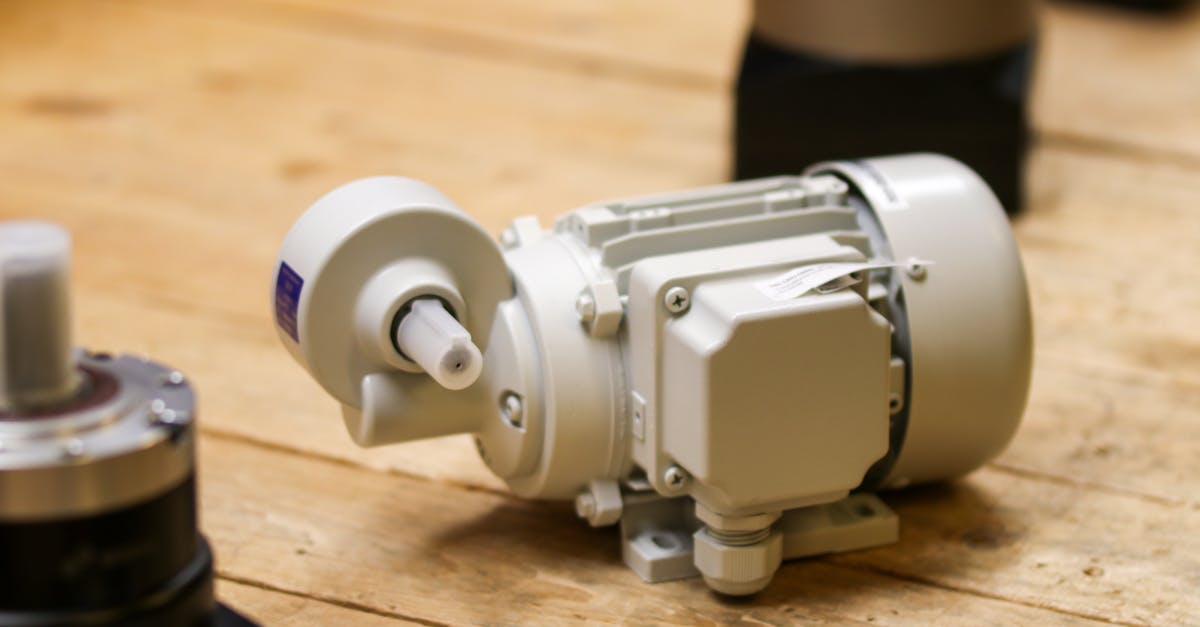
If you have ever watched a 3D printer trace out a perfect first layer or a CNC router carve letters into wood, you have seen stepper motors at work. Unlike ordinary DC motors that just spin when you apply power, stepper motors move in precise, repeatable increments -- making them the backbone of every project that demands accurate positioning.
In this guide we will cover everything you need to go from zero to confidently wiring and programming a NEMA 17 stepper motor with the popular A4988 driver, controlled by an Arduino or ESP32.
What Is a Stepper Motor?
A stepper motor is a brushless DC electric motor that divides a full rotation into a fixed number of equal steps. Each electrical pulse sent to the motor advances the shaft by exactly one step. No encoder, no feedback loop -- the motor's mechanical design guarantees repeatable positioning.
Stepper vs DC Motor vs Servo
| Feature | DC Motor | Servo Motor | Stepper Motor |
|---|---|---|---|
| Motion type | Continuous rotation | Limited angle (typically 0-180 deg) or continuous | Discrete steps, full rotation |
| Position control | None (open loop) | Built-in feedback (closed loop) | Open loop, inherently precise |
| Torque at low speed | Low | Moderate | High |
| Complexity | Simple | Moderate (PWM control) | Requires driver IC |
| Typical use | Fans, wheels | Robotic joints, RC | 3D printers, CNC, automation |
When to choose a stepper: You need precise angular or linear positioning, you want to avoid the cost of encoders, and your speed requirements are moderate (typically under 1000 RPM).
Types of Stepper Motors
Unipolar vs Bipolar
- Unipolar motors have a center tap on each winding, giving them 5 or 6 wires. Simpler to drive but only half of each winding is energized at a time, so torque is lower.
- Bipolar motors use full windings with 4 wires. They produce roughly 40% more torque than a unipolar motor of the same size, but require an H-bridge driver (like the A4988) to reverse current direction.
For most modern projects, bipolar is the standard choice, and nearly all popular driver boards (A4988, DRV8825, TMC2209) are designed for bipolar motors.
The NEMA 17 Standard
NEMA 17 refers to a faceplate size of 1.7 x 1.7 inches (42.3 mm x 42.3 mm). It does not define torque or electrical characteristics -- those vary by model. Common NEMA 17 specs:
- Step angle: 1.8 degrees (200 steps per revolution)
- Rated current: 1.2 A to 2.0 A per phase
- Holding torque: 26 N-cm to 65 N-cm
- Voltage: Typically rated 2.5 V to 4.2 V (but driven at 12-24 V with a current-limiting driver)
The NEMA 17 is the workhorse of desktop 3D printers, small CNC machines, and hobby robotics.
How Stepper Motors Work
Inside a bipolar stepper motor you will find two independent coils (called Phase A and Phase B) and a rotor with a toothed permanent magnet.
The Stepping Sequence
By energizing the coils in a specific sequence, the rotor aligns with the resulting magnetic field and advances one step:
- Full Step (two-phase on): Both coils energized simultaneously, alternating polarity. 200 steps per revolution. Maximum torque.
- Wave Drive (one-phase on): Only one coil energized at a time. 200 steps per revolution. Lower torque, lower power consumption.
- Half Step: Alternates between one and two coils. 400 steps per revolution. Smoother motion.
- Microstepping: The driver modulates current in a sine/cosine pattern across both coils, creating intermediate positions between full steps.
Step Angle Math
A standard 1.8-degree stepper gives:
Steps per revolution = 360 / 1.8 = 200 steps
With 1/16 microstepping on the A4988:
Microsteps per revolution = 200 x 16 = 3,200 microsteps
Angular resolution = 360 / 3200 = 0.1125 degrees
That is enough resolution for most 3D printing and CNC applications.
The A4988 Stepper Driver
The A4988 is a microstepping driver IC from Allegro MicroSystems, commonly sold on small breakout boards (the red or green PCBs you see everywhere). It handles all the complex coil-switching logic so your microcontroller only needs to send two signals: direction and step pulses.
Key Specifications
| Parameter | Value |
|---|---|
| Max output current | 2 A per phase (with heatsink) |
| Continuous current (no heatsink) | ~1 A per phase |
| Microstepping modes | Full, 1/2, 1/4, 1/8, 1/16 |
| Logic voltage | 3.0 V to 5.5 V |
| Motor supply voltage | 8 V to 35 V |
| Built-in thermal shutdown | Yes |
| Overcurrent protection | Yes |
Microstepping Configuration
The A4988 has three pins -- MS1, MS2, MS3 -- that set the microstepping mode:
| MS1 | MS2 | MS3 | Resolution |
|---|---|---|---|
| LOW | LOW | LOW | Full step |
| HIGH | LOW | LOW | 1/2 step |
| LOW | HIGH | LOW | 1/4 step |
| HIGH | HIGH | LOW | 1/8 step |
| HIGH | HIGH | HIGH | 1/16 step |
All three pins have internal pull-down resistors, so leaving them unconnected defaults to full step mode.
Setting the Current Limit
This is the most important step and the one most beginners skip. Running a stepper motor without setting the current limit risks overheating the motor, the driver, or both.
The Vref Formula
The A4988 has a small trim potentiometer on top. Adjusting it changes the reference voltage (Vref), which sets the maximum current per phase.
For most A4988 boards with 0.1 ohm sense resistors (RS):
I_max = Vref / (8 x RS)
I_max = Vref / (8 x 0.1)
I_max = Vref / 0.8
So:
Vref = I_max x 0.8
Example: For a NEMA 17 rated at 1.5 A per phase:
Vref = 1.5 x 0.8 = 1.2 V
How to Measure and Adjust
- Power the driver board with the motor supply voltage (12 V) and logic voltage (5 V).
- Do not connect the motor yet.
- Set your multimeter to DC voltage.
- Touch the positive probe to the top of the trim potentiometer and the negative probe to the GND pin.
- Read the voltage and adjust with a small screwdriver until you hit your target Vref.
Important: Some A4988 clones use different sense resistor values (0.05 ohm, 0.2 ohm). Check the tiny resistors labeled R050, R100, or R200 near the bottom of the board and adjust your formula accordingly.
Wiring: A4988 + NEMA 17 + Arduino
Components Needed
- 1x NEMA 17 stepper motor (4-wire bipolar)
- 1x A4988 driver module
- 1x Arduino Uno (or ESP32)
- 1x 12 V power supply (at least 1.5 A for one motor)
- 1x 100 uF electrolytic capacitor (essential for voltage spikes)
- Jumper wires, breadboard
Connection Diagram
12V Power Supply               A4988 Module                Arduino
================               ============                =======

 +12V --------+--------> VMOT
               |
             100uF cap
               |
  GND --------+--------> GND ----------------------> GND
                          VDD <--------------------- 5V
                          DIR <--------------------- Pin 2
                          STEP <-------------------- Pin 3
                          SLEEP ----+
                          RESET ----+  (tied together)
                          MS1 ---- (see microstepping table)
                          MS2 ---- (see microstepping table)
                          MS3 ---- (see microstepping table)
                          ENABLE <---- (leave unconnected or LOW to enable)

                          1A -------> Motor Coil A+
                          1B -------> Motor Coil A-
                          2A -------> Motor Coil B+
                          2B -------> Motor Coil B-
Critical: The 100 uF capacitor across VMOT and GND is not optional. The inductive kickback from the stepper motor creates voltage spikes that will destroy the A4988 without it. Place the capacitor as close to the VMOT and GND pins as possible.
Identifying Motor Wires
A bipolar stepper has two coils. To find which wires belong to the same coil:
- Use a multimeter in resistance mode.
- Measure between all wire combinations.
- Wires that show 1-10 ohms resistance are a coil pair.
- Wires from different coils show no continuity (infinite resistance).
Common color codes for NEMA 17 motors:
| Coil | Wire 1 | Wire 2 |
|---|---|---|
| A | Red | Blue |
| B | Green | Black |
If the motor spins in the wrong direction, swap one coil pair (e.g., swap Red and Blue).
ESP32 Wiring Note
The ESP32 runs on 3.3 V logic, which is within the A4988's 3-5.5 V logic range. The wiring is identical to Arduino, but connect VDD to the ESP32's 3.3 V pin instead of 5 V. Use any available GPIO pins for STEP and DIR.
Code: Basic Stepping with Direction and Pulse
This approach uses no libraries -- just direct GPIO control.
// Basic stepper control -- no library needed
const int STEP_PIN = 3;
const int DIR_PIN  = 2;

const int STEPS_PER_REV = 200;  // Full step mode

void setup() {
  pinMode(STEP_PIN, OUTPUT);
  pinMode(DIR_PIN, OUTPUT);
}

void loop() {
  // Rotate one full revolution clockwise
  digitalWrite(DIR_PIN, HIGH);
  for (int i = 0; i < STEPS_PER_REV; i++) {
    digitalWrite(STEP_PIN, HIGH);
    delayMicroseconds(1000);  // 1 ms per step = ~300 RPM
    digitalWrite(STEP_PIN, LOW);
    delayMicroseconds(1000);
  }

  delay(1000);

  // Rotate one full revolution counter-clockwise
  digitalWrite(DIR_PIN, LOW);
  for (int i = 0; i < STEPS_PER_REV; i++) {
    digitalWrite(STEP_PIN, HIGH);
    delayMicroseconds(1000);
    digitalWrite(STEP_PIN, LOW);
    delayMicroseconds(1000);
  }

  delay(1000);
}
How it works: Each HIGH-LOW pulse on the STEP pin advances the motor one step. The delay between pulses controls speed. The DIR pin sets direction.
Speed Calculation
RPM = (1 / (delay_us x 2)) x 60 / steps_per_rev

With 1000 us delay:
RPM = (1 / 0.002) x 60 / 200 = 500 x 0.3 = 150 RPM
Code: AccelStepper Library for Smooth Motion
The AccelStepper library adds acceleration and deceleration ramps, preventing missed steps at high speeds and reducing vibration.
Install it from the Arduino Library Manager: search for "AccelStepper" by Mike McCauley.
#include <AccelStepper.h>

// Define stepper: DRIVER mode means STEP and DIR pins
AccelStepper stepper(AccelStepper::DRIVER, 3, 2);  // STEP=3, DIR=2

void setup() {
  stepper.setMaxSpeed(1000);      // Steps per second
  stepper.setAcceleration(500);   // Steps per second squared
}

void loop() {
  // Move 200 steps forward (one revolution)
  stepper.moveTo(200);
  while (stepper.distanceToGo() != 0) {
    stepper.run();
  }

  delay(500);

  // Move back to start position
  stepper.moveTo(0);
  while (stepper.distanceToGo() != 0) {
    stepper.run();
  }

  delay(500);
}
Why use AccelStepper: Without acceleration, suddenly demanding full speed causes the motor to stall. The AccelStepper library ramps up gradually, keeping the rotor in sync with the magnetic field.
Code: Precise Positioning (Move to Specific Angle)
#include <AccelStepper.h>

AccelStepper stepper(AccelStepper::DRIVER, 3, 2);

const int STEPS_PER_REV     = 200;
const int MICROSTEP_FACTOR  = 16;   // A4988 in 1/16 mode
const int MICROSTEPS_PER_REV = STEPS_PER_REV * MICROSTEP_FACTOR;  // 3200

// Convert degrees to microsteps
long degreesToSteps(float degrees) {
  return (long)(degrees / 360.0 * MICROSTEPS_PER_REV);
}

void setup() {
  stepper.setMaxSpeed(3200);       // 1 revolution per second
  stepper.setAcceleration(1600);   // Ramp up over half a second
}

void loop() {
  // Move to exactly 90 degrees
  stepper.moveTo(degreesToSteps(90));
  while (stepper.distanceToGo() != 0) stepper.run();
  delay(1000);

  // Move to exactly 270 degrees
  stepper.moveTo(degreesToSteps(270));
  while (stepper.distanceToGo() != 0) stepper.run();
  delay(1000);

  // Return to home (0 degrees)
  stepper.moveTo(0);
  while (stepper.distanceToGo() != 0) stepper.run();
  delay(1000);
}
This approach gives you 0.1125-degree resolution in 1/16 microstepping mode -- precise enough for camera sliders, telescope mounts, and pick-and-place machines.
Microstepping Explained
Microstepping works by varying the current through both coils simultaneously in a sine/cosine pattern, creating intermediate magnetic positions between the physical tooth positions.
Benefits
- Smoother motion: Reduces vibration and audible noise dramatically
- Higher resolution: 1/16 microstepping gives 3,200 positions per revolution
- Reduced resonance: Full-step operation often causes vibration at certain speeds; microstepping smooths this out
Trade-offs
- Reduced torque per microstep: At 1/16 microstepping, each microstep delivers only about 30-40% of full-step torque. The motor may not hold position under load at fine microstep levels.
- Diminishing positional accuracy: Beyond 1/8 or 1/16, real-world accuracy gains are minimal due to mechanical imperfections. A 1/16 microstep might not land exactly at 1/16 of 1.8 degrees.
- Higher pulse rates: Your microcontroller must generate pulses 16x faster to maintain the same RPM, which can become a bottleneck.
Practical recommendation: Use 1/8 or 1/16 microstepping for most applications. Going to 1/32 or 1/256 (on drivers that support it) is rarely beneficial for hobby projects.
Holding Torque vs Running Torque
- Holding torque: The maximum torque the motor can resist when stationary and energized. This is the number on the datasheet (e.g., 45 N-cm). The motor actively fights any attempt to turn the shaft.
- Running torque (pull-out torque): The maximum torque available while the motor is spinning. This decreases as RPM increases. At high speeds, the driver cannot change current fast enough through the coils' inductance.
Key takeaway: A stepper motor is strongest when standing still or moving slowly. If your application needs high torque at high speed, consider a larger motor, a higher supply voltage, or a geared stepper.
Common Issues and Solutions
Overheating
Symptoms: Motor too hot to touch, driver board thermally shutting down.
Cause: Current limit set too high, or no heatsink on the A4988.
Fix: Reduce Vref. A good starting point is 70-80% of the motor's rated current. Add a heatsink to the A4988 IC. Ensure airflow in your enclosure.
Missed Steps
Symptoms: Motor loses position over time, prints shift, CNC cuts are inaccurate.
Causes:
- Acceleration too aggressive -- lower
setAcceleration()value - Speed too high -- reduce
setMaxSpeed() - Current limit too low -- increase Vref slightly
- Mechanical binding -- check for tight spots in your linear motion system
Vibration and Resonance
Symptoms: Motor vibrates loudly or stalls at certain speed ranges (commonly 100-300 RPM).
Fix: Enable microstepping (at least 1/4 step). Use acceleration ramps to pass through resonant frequencies quickly. Add a small rubber damper between the motor and the frame.
Motor Runs Backwards
Fix: Swap one coil pair in the wiring (e.g., swap the two wires for Coil A). Do not swap just one wire from each coil.
Driver Comparison: A4988 vs DRV8825 vs TMC2209
| Feature | A4988 | DRV8825 | TMC2209 |
|---|---|---|---|
| Max current | 2 A (1 A without heatsink) | 2.5 A (1.5 A without heatsink) | 2 A (RMS) |
| Max voltage | 35 V | 45 V | 29 V |
| Microstepping | Up to 1/16 | Up to 1/32 | Up to 1/256 |
| Noise level | Moderate | Moderate | Near silent (StealthChop) |
| Stall detection | No | No | Yes (StallGuard) |
| UART config | No | No | Yes |
| Typical price (India) | Rs. 50-80 | Rs. 80-120 | Rs. 200-350 |
| Best for | Budget builds, learning | Higher-current motors | Silent 3D printers, advanced CNC |
| Drop-in compatible | -- | Yes (same pinout as A4988) | Mostly (needs UART for advanced features) |
Recommendation: Start with the A4988 for learning and prototyping. Upgrade to DRV8825 if you need more current or finer microstepping. Choose TMC2209 for silent operation or when you need sensorless homing via StallGuard.
Applications
3D Printers
The most common stepper motor application. A typical Cartesian 3D printer uses 4 stepper motors: X-axis, Y-axis, Z-axis, and extruder. NEMA 17 motors with A4988 or TMC2209 drivers are the standard.
CNC Machines
Desktop CNC routers and laser engravers use stepper motors for precise tool positioning. Higher-torque NEMA 17 or NEMA 23 motors are typical, often with DRV8825 drivers for the extra current headroom.
Camera Sliders and Motion Control
Motorized camera sliders use stepper motors for buttery-smooth panning and sliding. The precise speed control ensures consistent motion for timelapse and video production.
Robotic Arms
Stepper motors provide accurate joint control in robotic arms. Combined with microstepping, they deliver smooth movement without the cost of servo motors with encoders.
Automated Equipment
Vending machines, label printers, automated blinds, telescope mounts, turntables -- anywhere you need to move something to an exact position repeatedly.
Power Supply Sizing
Getting the power supply right is critical. An undersized supply causes voltage drops, missed steps, and erratic behavior.
Voltage
The A4988 is a chopper driver -- it rapidly switches higher voltage to push current through the coils quickly, then chops it to maintain the set current limit. This means:
- Higher voltage = faster current rise = better high-speed performance
- Use 12 V as a starting point for NEMA 17 motors
- 24 V gives noticeably better performance at higher speeds
- Never exceed the driver's maximum voltage (35 V for A4988)
Current Calculation
Total current = (motor current per phase) x (number of motors) x 1.3 (safety margin)
Example for a 3D printer with 4 motors at 1.5 A each:
Total = 1.5 x 4 x 1.3 = 7.8 A
A 12 V, 10 A power supply would be appropriate.
Power Supply Recommendations
| Setup | Recommended Supply |
|---|---|
| 1 NEMA 17 (prototyping) | 12 V, 2 A |
| 2-3 NEMA 17 (small CNC) | 12 V, 5 A |
| 4 NEMA 17 (3D printer) | 12 V, 10 A or 24 V, 5 A |
| NEMA 23 motors | 24 V, 5-10 A |
Never power stepper motors from the Arduino's 5 V pin or USB port. The Arduino cannot supply anywhere near enough current, and you risk damaging the board.
Quick Reference: Essential Formulas
| Formula | Expression |
|---|---|
| Steps per revolution | 360 / step_angle |
| Microsteps per revolution | steps_per_rev x microstep_factor |
| Vref (A4988, 0.1 ohm RS) | I_max x 0.8 |
| RPM from pulse delay | 60 / (delay_per_step x 2 x steps_per_rev) |
| Degrees to steps | degrees / 360 x microsteps_per_rev |
What to Buy
To get started with the projects in this guide, you need:
- NEMA 17 Stepper Motor -- Look for 42mm body, 1.5-1.7 A rated current, 40+ N-cm holding torque
- A4988 Driver Module -- Comes with heatsink on most boards
- Arduino Uno or ESP32 -- Either works; ESP32 adds Wi-Fi for remote control
- 12 V Power Supply -- At least 2 A for a single motor
- 100 uF Electrolytic Capacitor -- 25 V or higher rated
- Jumper Wires and Breadboard -- For prototyping
All of these components are available at wavtron.in.
Summary
Stepper motors give you precise, repeatable positioning without expensive feedback systems. The A4988 driver makes them easy to control with just two GPIO pins. Start with basic pulse-and-direction code to understand the fundamentals, then graduate to the AccelStepper library for smooth, reliable motion in real projects.
Set your current limit carefully, use a proper power supply with a decoupling capacitor, and choose your microstepping level based on the smoothness and resolution your application demands. With these fundamentals in hand, you are ready to build anything from a 3D printer to a robotic arm.