Choosing the Right Sensor for Your Next Project
You have a project idea. Maybe it is a weather station, a home security system, or a smart garden monitor. You know you need sensors, but one quick search reveals dozens of options for every measurement type. DHT11 or DHT22? Ultrasonic or Time-of-Flight? Resistive or capacitive soil moisture?
This guide cuts through the confusion. We will compare popular sensors across six categories, lay out their specs in honest comparison tables, show you wiring and code for the recommended pick in each category, and flag the pitfalls that trip up beginners and experienced builders alike.
All code examples target the ESP32 using the Arduino framework, but they work on Arduino Uno/Nano with minor pin changes unless noted otherwise.
1. Temperature and Humidity Sensors
Temperature and humidity are the most common measurements in hobby and industrial IoT. Three sensors dominate this space.
Comparison Table
| Feature | DHT11 | DHT22 (AM2302) | BME280 |
|---|---|---|---|
| Interface | OneWire (single data pin) | OneWire (single data pin) | I2C or SPI |
| Temperature Range | 0 to 50 C | -40 to 80 C | -40 to 85 C |
| Temp Accuracy | +/- 2 C | +/- 0.5 C | +/- 0.5 C |
| Humidity Range | 20-80% RH | 0-100% RH | 0-100% RH |
| Humidity Accuracy | +/- 5% | +/- 2-5% | +/- 3% |
| Also Measures | -- | -- | Barometric pressure, altitude |
| Sample Rate | 1 Hz (one reading/sec) | 0.5 Hz (one reading/2 sec) | Up to 157 Hz |
| Price Range (INR) | 80-120 | 200-350 | 250-450 |
When to Pick Which
- DHT11: Classroom demos, non-critical projects where +/- 2 C is acceptable, and you want the absolute lowest cost.
- DHT22: You need reasonable accuracy on a budget and only care about temperature and humidity. Good for greenhouse monitors.
- BME280: The clear winner for serious projects. It adds barometric pressure (useful for weather stations and altitude estimation), reads far faster, and communicates over I2C — meaning you can share the bus with other sensors. The small price premium over the DHT22 is worth it every time.
Recommended: BME280 Wiring and Code
Wiring (I2C):
- BME280 VIN to ESP32 3.3V
- BME280 GND to ESP32 GND
- BME280 SDA to ESP32 GPIO 21
- BME280 SCL to ESP32 GPIO 22
#include <Wire.h>
#include <Adafruit_BME280.h>

Adafruit_BME280 bme;

void setup() {
  Serial.begin(115200);
  if (!bme.begin(0x76)) {  // Some modules use 0x77
    Serial.println("BME280 not found! Check wiring.");
    while (1);
  }
}

void loop() {
  Serial.printf("Temp: %.1f C | Humidity: %.1f%% | Pressure: %.0f hPa\n",
    bme.readTemperature(),
    bme.readHumidity(),
    bme.readPressure() / 100.0F
  );
  delay(2000);
}
Common Pitfalls
- DHT timing issues: The OneWire protocol on DHT sensors is timing-sensitive. On ESP32, interrupts from WiFi can corrupt readings. Use the DHTesp library, which handles this gracefully.
- BME280 address confusion: Cheap BME280 modules can have the I2C address set to either 0x76 or 0x77 depending on the SDO pin state. If
bme.begin(0x76)fails, try0x77. - BMP280 vs BME280: Some sellers label BMP280 (pressure only, no humidity) as BME280. Check for six pins on the actual chip — BMP280 has only a pressure sensor.
2. Distance and Proximity Sensors
Whether you are building a parking sensor, a robot obstacle avoider, or a liquid level monitor, distance sensing is fundamental.
Comparison Table
| Feature | HC-SR04 (Ultrasonic) | VL53L0X (Time-of-Flight) | IR Proximity (e.g., TCRT5000) |
|---|---|---|---|
| Interface | Trigger/Echo (digital) | I2C | Analog or digital |
| Range | 2 cm to 400 cm | 3 cm to 200 cm | 1 cm to 30 cm |
| Accuracy | +/- 3 mm | +/- 3-5% of distance | Low (binary or coarse analog) |
| Beam Width | ~15 degrees cone | ~25 degrees (VCSEL laser) | Narrow, ~5 degrees |
| Voltage | 5V (needs level shifter for ESP32) | 3.3V native | 3.3-5V |
| Affected By | Soft/angled surfaces, temperature | Ambient IR (sunlight) | Surface color, ambient light |
| Price Range (INR) | 40-80 | 250-400 | 20-50 |
When to Pick Which
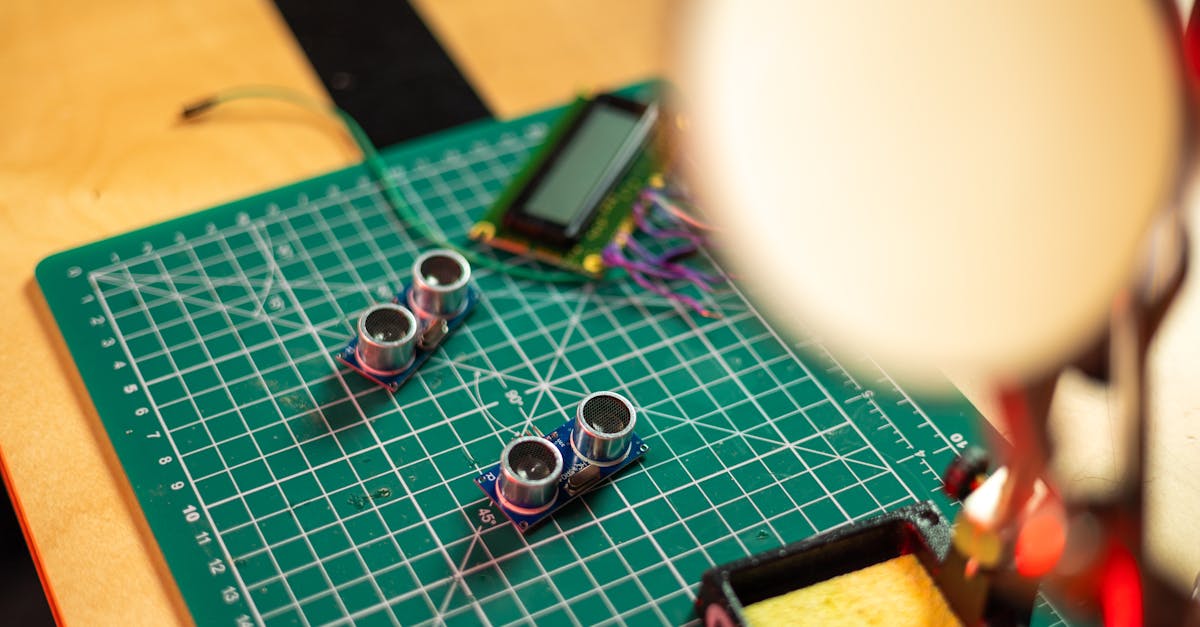
- HC-SR04: Best for distances over 50 cm where millimetre precision is not critical. Tank level monitoring, parking distance, room occupancy. Very cheap and reliable indoors.
- VL53L0X: Best for compact designs needing precise short-to-medium range measurement. Robot navigation, gesture detection, drone altitude hold. It is I2C, so it integrates cleanly with other sensors.
- IR Proximity: Only for simple "is something close or not" detection. Paper-edge sensing in printers, line-following robots, object detection at very close range.
Recommended: HC-SR04 Wiring and Code
Wiring (with a 5V-tolerant setup or logic level shifter):
- VCC to 5V
- GND to GND
- TRIG to GPIO 5
- ECHO to GPIO 18 (use a voltage divider: 1K + 2K resistors to bring 5V echo down to 3.3V)
#define TRIG_PIN 5
#define ECHO_PIN 18

void setup() {
  Serial.begin(115200);
  pinMode(TRIG_PIN, OUTPUT);
  pinMode(ECHO_PIN, INPUT);
}

float getDistanceCm() {
  digitalWrite(TRIG_PIN, LOW);
  delayMicroseconds(2);
  digitalWrite(TRIG_PIN, HIGH);
  delayMicroseconds(10);
  digitalWrite(TRIG_PIN, LOW);

  long duration = pulseIn(ECHO_PIN, HIGH, 30000); // 30ms timeout
  if (duration == 0) return -1; // No echo received
  return (duration * 0.0343) / 2.0;
}

void loop() {
  float dist = getDistanceCm();
  if (dist > 0) {
    Serial.printf("Distance: %.1f cm\n", dist);
  } else {
    Serial.println("Out of range");
  }
  delay(100);
}
Common Pitfalls
- HC-SR04 on ESP32: The echo pin outputs 5V. Connecting it directly to an ESP32 GPIO (3.3V max) can damage the board. Always use a voltage divider or a level shifter.
- Ultrasonic and soft materials: Fabric, foam, and angled surfaces absorb or deflect ultrasonic waves, causing phantom readings. Test with your actual target material.
- VL53L0X sunlight: Direct sunlight overwhelms the infrared laser, making outdoor readings unreliable. Use it indoors or in shaded enclosures.
3. Motion and Orientation Sensors
"Motion" can mean many things. A PIR sensor detects if someone walked into a room. An accelerometer measures tilt and vibration. A gyroscope tracks rotation. Know what you actually need to detect.
Comparison Table
| Feature | HC-SR501 (PIR) | MPU6050 (6-axis IMU) | ADXL345 (Accelerometer) |
|---|---|---|---|
| Detects | Warm body motion (infrared) | Acceleration + angular velocity | Acceleration only |
| Interface | Digital (HIGH/LOW) | I2C | I2C or SPI |
| Output | Binary: motion or no motion | 3-axis accel + 3-axis gyro, raw values | 3-axis acceleration, raw values |
| Range | Up to 7 m, 120 degree cone | +/- 2/4/8/16g accel, +/- 250-2000 dps gyro | +/- 2/4/8/16g |
| Use Cases | Security lights, room occupancy | Drone stabilisation, gesture recognition, step counting | Tilt sensing, vibration monitoring, tap detection |
| Price Range (INR) | 50-100 | 100-200 | 120-250 |
When to Pick Which
- HC-SR501 (PIR): You just want to know "did a person enter this area." Security systems, automatic lights, occupancy counters. Dead simple: one digital pin, no code libraries needed.
- MPU6050: You need both acceleration and rotation data. Self-balancing robots, flight controllers, motion tracking, pedometers. The DMP (Digital Motion Processor) on-chip can output fused orientation quaternions.
- ADXL345: You only need acceleration (no gyro). Vibration monitoring on machines, tilt-activated switches, free-fall detection. It has excellent built-in tap and activity detection interrupts.
Recommended: MPU6050 Wiring and Code
Wiring (I2C):
- VCC to 3.3V
- GND to GND
- SDA to GPIO 21
- SCL to GPIO 22
#include <Wire.h>
#include <MPU6050_light.h>

MPU6050 mpu(Wire);

void setup() {
  Serial.begin(115200);
  Wire.begin();
  byte status = mpu.begin();
  if (status != 0) {
    Serial.println("MPU6050 not found!");
    while (1);
  }
  Serial.println("Calibrating gyro... Keep sensor still.");
  delay(1000);
  mpu.calcOffsets(); // Gyro and accelerometer calibration
  Serial.println("Done.");
}

void loop() {
  mpu.update();
  Serial.printf("Roll: %.1f | Pitch: %.1f | Yaw: %.1f\n",
    mpu.getAngleX(),
    mpu.getAngleY(),
    mpu.getAngleZ()
  );
  delay(100);
}
Common Pitfalls
- PIR false triggers: The HC-SR501 has a ~60 second warm-up period after power-on during which it may fire randomly. Also keep it away from heat sources and air vents.
- MPU6050 gyro drift: Gyroscope readings accumulate error over time. For stable orientation, fuse gyro with accelerometer data using a complementary filter or the on-chip DMP.
- Mounting matters: Any vibration or flex in the mounting will show up in IMU data. Secure the sensor rigidly to the moving body you are measuring.
4. Light Sensors
From simple day/night detection to precise lux measurement for grow lights, the right light sensor depends on the precision you need.
Comparison Table
| Feature | LDR (Photoresistor) | BH1750 | TSL2561 |
|---|---|---|---|
| Interface | Analog (voltage divider) | I2C | I2C |
| Output | Resistance (needs ADC) | Direct lux value (0-65535 lx) | Raw broadband + IR values, compute lux |
| Accuracy | Uncalibrated, relative only | +/- 20% across 1-65535 lx | +/- 5-10%, wide dynamic range |
| Spectral Response | Varies by model, not consistent | Matches human eye (CIE) | Separate visible + IR channels |
| Use Cases | Day/night switch, basic light level | Room lighting automation, grow lights | Lab instruments, precise outdoor measurement |
| Price Range (INR) | 5-15 | 60-120 | 150-300 |
When to Pick Which
- LDR: You literally just need "is it dark or light?" Automatic garden lights, display backlight toggle. Cannot give you an actual lux value.
- BH1750: Best balance of price, simplicity, and accuracy. Outputs lux directly over I2C with no calibration needed. Perfect for smart home lighting, display brightness, plant monitoring.
- TSL2561: When you need to separate visible light from infrared (e.g., measuring sunlight for solar panels or compensating for artificial IR sources). More complex but more flexible.
Recommended: BH1750 Wiring and Code
Wiring (I2C):
- VCC to 3.3V
- GND to GND
- SDA to GPIO 21
- SCL to GPIO 22
- ADDR to GND (sets address to 0x23; connect to VCC for 0x5C)
#include <Wire.h>
#include <BH1750.h>

BH1750 lightMeter;

void setup() {
  Serial.begin(115200);
  Wire.begin();
  if (lightMeter.begin(BH1750::CONTINUOUS_HIGH_RES_MODE)) {
    Serial.println("BH1750 ready.");
  } else {
    Serial.println("BH1750 not found!");
  }
}

void loop() {
  float lux = lightMeter.readLightLevel();
  Serial.printf("Light: %.1f lux\n", lux);

  // For reference:
  // < 50 lux    = dim room
  // 300-500 lux = office lighting
  // 10000+ lux  = direct sunlight
  delay(1000);
}
Common Pitfalls
- LDR voltage divider value: The resistor paired with the LDR in a voltage divider determines the sensitivity range. A 10K resistor is a safe starting point, but you may need to experiment for your specific light range.
- BH1750 saturation: In direct sunlight (above 65535 lux), the sensor saturates. If you need outdoor measurement at high brightness, the TSL2561 handles wider dynamic range.
- Sensor placement: A sensor inside an enclosure reads enclosure light, not ambient. Use a light pipe or position the sensor externally with a clear window.
5. Gas and Air Quality Sensors
Gas sensing is tricky. These sensors need warm-up time, careful calibration, and an understanding of what they actually measure.
Comparison Table
| Feature | MQ-2 | MQ-135 | BME680 |
|---|---|---|---|
| Interface | Analog (+ digital threshold pin) | Analog (+ digital threshold pin) | I2C or SPI |
| Detects | LPG, propane, methane, smoke | NH3, NOx, benzene, CO2 (broad) | VOCs (volatile organic compounds) + temp, humidity, pressure |
| Warm-up Time | 24-48 hours (first use), 2-3 min subsequent | 24-48 hours (first use), 2-3 min subsequent | ~5 minutes |
| Calibration | Manual (needs known gas concentration) | Manual | BSEC library auto-calibrates over days |
| Output | Analog voltage (raw resistance ratio) | Analog voltage (raw resistance ratio) | IAQ index (0-500), gas resistance in ohms |
| Accuracy | Qualitative, not precise PPM | Qualitative, not precise PPM | IAQ index is relative, not lab-grade |
| Power Draw | ~150 mA (heater element) | ~150 mA (heater element) | ~12 mA during measurement |
| Price Range (INR) | 80-150 | 100-180 | 500-900 |
When to Pick Which
- MQ-2: Smoke and flammable gas detection. Kitchen safety systems, gas leak alarms. Works well as a threshold alarm (gas detected / not detected) rather than a precise meter.
- MQ-135: Broad air quality indicator. Detects a range of pollutants but cannot tell you which specific gas is present. Good for "is the air quality deteriorating" signals.
- BME680: The premium choice. Combines environmental sensing (temp, humidity, pressure) with VOC detection in one tiny I2C package. Bosch's BSEC library provides an Indoor Air Quality (IAQ) index that improves over time through auto-calibration. Best for comprehensive indoor environmental monitoring.
Recommended: MQ-2 (for gas detection) Wiring and Code
Wiring:
- VCC to 5V (the heater needs 5V)
- GND to GND
- A0 (analog out) to ESP32 GPIO 34 (ADC input)
#define MQ2_PIN 34

void setup() {
  Serial.begin(115200);
  Serial.println("Warming up MQ-2 sensor (allow 2-3 minutes)...");
}

void loop() {
  int raw = analogRead(MQ2_PIN);
  float voltage = raw * (3.3 / 4095.0);

  // Higher voltage = higher gas concentration
  // Establish your own baseline in clean air
  Serial.printf("MQ-2 Raw: %d | Voltage: %.2fV", raw, voltage);

  if (voltage > 1.5) { // Adjust threshold based on your baseline
    Serial.println(" [WARNING: Gas detected!]");
  } else {
    Serial.println(" [Air clear]");
  }
  delay(2000);
}
Common Pitfalls
- Burn-in period: MQ sensors need 24-48 hours of continuous power on first use to stabilise the tin-dioxide heater element. Readings during this period are unreliable.
- Cross-sensitivity: MQ-2 responds to alcohol vapour, cooking fumes, and humidity changes -- not just gas leaks. Use it as a warning trigger, not as a precision instrument.
- Power consumption: MQ sensors draw ~150 mA each due to the heater. They are unsuitable for battery-powered projects. The BME680 at ~12 mA is far better for portable devices.
- BME680 BSEC library: Bosch's proprietary BSEC library is a pre-compiled binary blob. It works well but is large and only available for specific platforms. Make sure your board is supported before committing to the BME680.
6. Soil and Water Sensors
Smart garden and agriculture projects need soil moisture sensing. There are two dominant approaches, and one is clearly better.
Comparison Table
| Feature | Resistive Soil Moisture | Capacitive Soil Moisture (v1.2/v2.0) |
|---|---|---|
| Interface | Analog | Analog |
| How It Works | Measures resistance between two exposed metal probes | Measures capacitance change through a sealed PCB |
| Corrosion | Corrodes within days to weeks in moist soil | No exposed metal, lasts months to years |
| Accuracy | Degrades as probes corrode | Consistent over time |
| Electrolysis | Yes, can harm plant roots | None |
| Waterproofing | Probes are exposed | Board edge needs sealing above soil line |
| Price Range (INR) | 30-60 | 50-100 |
Why Capacitive Wins
Resistive sensors are cheaper by twenty rupees and work identically on day one. By week two, the exposed metal probes start corroding from the constant current flowing through wet soil. The readings drift, the probes turn green, and eventually the sensor is useless. Electrolysis from the DC current can also release copper ions into the soil, which is harmful to plants.
Capacitive sensors have no exposed metal. The sensing area is a sealed PCB trace covered in lacquer. They measure soil moisture through changes in the dielectric constant of the surrounding medium. They last for entire growing seasons without degradation.
For the tiny price difference, always choose capacitive.
Recommended: Capacitive Soil Moisture Sensor Wiring and Code
Wiring:
- VCC to 3.3V (some modules accept 3.3-5V)
- GND to GND
- AOUT to ESP32 GPIO 34
#define SOIL_PIN 34

// Calibrate these values with your specific sensor:
// Stick sensor in air and note the reading (dry value)
// Stick sensor in a glass of water and note the reading (wet value)
const int DRY_VALUE = 3200;  // Typical air reading at 3.3V
const int WET_VALUE = 1400;  // Typical water reading at 3.3V

void setup() {
  Serial.begin(115200);
}

void loop() {
  int raw = analogRead(SOIL_PIN);
  int moisturePercent = map(raw, DRY_VALUE, WET_VALUE, 0, 100);
  moisturePercent = constrain(moisturePercent, 0, 100);

  Serial.printf("Raw: %d | Moisture: %d%%\n", raw, moisturePercent);

  if (moisturePercent < 30) {
    Serial.println("Soil is dry - time to water!");
  } else if (moisturePercent < 70) {
    Serial.println("Moisture level is good.");
  } else {
    Serial.println("Soil is very wet.");
  }
  delay(5000);
}
Common Pitfalls
- Calibration is mandatory: Every sensor unit and every soil type gives different raw values. Always calibrate with air (0%) and water (100%) for your specific sensor.
- Waterproofing the electronics: The sensing area can go in soil, but the electronics above must stay dry. Apply hot glue or conformal coating to the component side of the PCB. Seal the boundary where the board enters the soil with heat shrink tubing.
- Power cycling: To extend battery life and further reduce any degradation risk, power the sensor through a GPIO pin and only turn it on when reading. This also helps with capacitive sensors, as they draw a small quiescent current.
Cross-Cutting Concerns
These topics matter regardless of which sensors you choose.
Analog vs Digital Sensors and ADC Considerations on ESP32
Analog sensors (LDR, MQ-series, soil moisture) output a voltage proportional to the measurement. You need an Analog-to-Digital Converter (ADC) to read them.
The ESP32 has two ADC units:
- ADC1 (GPIOs 32-39): Always available. Use these for analog sensors.
- ADC2 (GPIOs 0, 2, 4, 12-15, 25-27): Cannot be used when WiFi is active. This catches many people off guard. If your project uses WiFi (and most ESP32 projects do), stick to ADC1 pins only.
The ESP32 ADC is also non-linear at the extremes. Readings below ~100mV and above ~3.2V are unreliable. The esp_adc_cal functions can apply a calibration curve stored in eFuse, improving accuracy significantly:
#include <esp_adc_cal.h>

esp_adc_cal_characteristics_t adc_chars;

void setup() {
  esp_adc_cal_characterize(ADC_UNIT_1, ADC_ATTEN_DB_11,
    ADC_WIDTH_BIT_12, 1100, &adc_chars);
}

// In your read function:
uint32_t voltage_mv;
esp_adc_cal_get_voltage(ADC_CHANNEL_6, &adc_chars, &voltage_mv);
// voltage_mv is now calibrated in millivolts
Digital sensors (BME280, BH1750, VL53L0X, MPU6050) communicate over I2C or SPI and output processed data directly. They are inherently more reliable, immune to ADC non-linearity, and easier to work with. When a digital version of a sensor exists and fits your budget, prefer it.
I2C Address Conflicts When Using Multiple Sensors
I2C is a bus protocol -- multiple devices share the same two wires (SDA and SCL). Each device has a 7-bit address. Problems arise when two devices share the same address.
Common conflicts:
- BME280 uses 0x76 or 0x77
- BMP280 also uses 0x76 or 0x77
- BH1750 uses 0x23 or 0x5C
- MPU6050 uses 0x68 or 0x69
- VL53L0X defaults to 0x29 (but can be reprogrammed)
Solutions:
-
Use the alternate address: Most sensors have an address select pin (often labelled ADR or SDO). Pulling it high or low switches between two addresses. Check your module's datasheet.
-
Use a TCA9548A I2C multiplexer: This 60-rupee module gives you eight independent I2C buses, each accessible through a different channel. Connect conflicting sensors to different channels.
#include <Wire.h>

#define MUX_ADDR 0x70

void selectMuxChannel(uint8_t channel) {
  Wire.beginTransmission(MUX_ADDR);
  Wire.write(1 << channel);
  Wire.endTransmission();
}

// Usage:
selectMuxChannel(0); // Talk to sensor on channel 0
// ... read sensor A ...
selectMuxChannel(1); // Talk to sensor on channel 1
// ... read sensor B ...
- Use the second I2C bus: The ESP32 has two hardware I2C controllers. You can initialise a second bus on different pins:
TwoWire I2C_2 = TwoWire(1);
I2C_2.begin(16, 17); // SDA=16, SCL=17
Pull-up Resistors and Signal Integrity
I2C requires pull-up resistors on both SDA and SCL lines. Most breakout boards include them (typically 4.7K or 10K). However, when you connect multiple I2C breakout boards, the pull-ups are now in parallel, reducing the effective resistance.
Rules of thumb:
- Two or three modules: Usually fine. The combined resistance is still acceptable.
- Four or more modules: The combined pull-up resistance may drop too low (below 1K), causing signal integrity issues. Remove or desolder the pull-up resistors from all but one module, or from all modules and add a single pair of 2.2K resistors.
- Long wires (over 30 cm): Reduce pull-up values to 2.2K or even 1K to maintain sharp signal edges. Alternatively, reduce the I2C clock speed from the default 100 kHz.
- OneWire sensors (DHT, DS18B20): Need a single 4.7K pull-up on the data line. This is often missing from cheap modules. If you get erratic readings, add one externally.
Sensor Fusion Basics
Individual sensors have weaknesses. A gyroscope drifts. An accelerometer is noisy under vibration. A barometer gives altitude but slowly. Sensor fusion combines multiple imperfect readings into one reliable result.
The most common example: combining accelerometer and gyroscope data for stable orientation.
Complementary Filter (simple, effective):
// Alpha controls the blend: higher = trust gyro more (faster response)
// Lower = trust accelerometer more (less drift)
float alpha = 0.96;
float angle = 0;

void updateAngle(float gyroRate, float accelAngle, float dt) {
  angle = alpha * (angle + gyroRate * dt) + (1 - alpha) * accelAngle;
}
This single line fuses the two sensors. The gyroscope provides fast, smooth tracking. The accelerometer prevents long-term drift. For most hobby projects, this complementary filter is more than adequate.
For advanced applications (drones, robotics), look into the Madgwick filter or Kalman filter, which handle more complex scenarios including magnetometer data and dynamic motion.
Quick Decision Matrix
Not sure where to start? Use this table.
| I Want To Measure | Budget Pick | Best Pick | Interface |
|---|---|---|---|
| Temperature + Humidity | DHT22 (~250 INR) | BME280 (~350 INR) | I2C |
| Distance (indoor) | HC-SR04 (~50 INR) | VL53L0X (~300 INR) | Digital / I2C |
| Human presence | HC-SR501 (~70 INR) | HC-SR501 (~70 INR) | Digital |
| Orientation/motion | MPU6050 (~150 INR) | MPU6050 (~150 INR) | I2C |
| Light level | LDR (~10 INR) | BH1750 (~80 INR) | Analog / I2C |
| Gas/smoke | MQ-2 (~100 INR) | BME680 (~700 INR) | Analog / I2C |
| Soil moisture | Capacitive (~70 INR) | Capacitive (~70 INR) | Analog |
Final Recommendations
After working through these six categories and dozens of sensor options, a few principles emerge:
Prefer digital over analog. I2C sensors like the BME280, BH1750, and VL53L0X output calibrated data directly, sidestepping ADC non-linearity and noise issues entirely. They are worth the small cost premium.
Calibrate everything. No sensor is accurate out of the box in every environment. Soil moisture sensors need wet/dry reference values. MQ gas sensors need burn-in time. Even the BME280 benefits from altitude offset calibration for accurate pressure readings.
Budget for the bus. If your project uses three or more I2C sensors, plan your addressing strategy upfront. Grab a TCA9548A multiplexer to avoid surprises later.
Start simple, then upgrade. Begin with the cheapest sensor that might work. Get your code and logic running. Once you have validated the concept, swap in the higher-precision sensor. The wiring is usually identical for I2C devices, and the code changes are minimal.
Every sensor listed in this guide is available at wavtron.in. Search by model number to find the exact modules, and check our ESP32 and Arduino boards section for compatible development kits to build your next project around.